Android App
Qld Blue Card Checker
A simple mobile app to verify Queensland Blue Card (Working with Children Check) status - built for clubs, schools, and community organisations.

Independent app, not a government service. Qld Blue Card Checker is built by Gladstone Digital. It is not affiliated with, endorsed by, or operated by the Queensland Government, Blue Card Services, or any government entity. All card validation is performed against the Queensland Government's public Blue Card Services validation portal at bluecard.qld.gov.au/onlinevalidation.
How to validate a Queensland Blue Card or Exemption Card
Queensland has two card types, and each is validated on its own QLD Government portal:
- Blue Card (Working with Children Check) - held by paid employees and volunteers. The card number starts with P (paid) or V (volunteer).
- Exemption Card - held by people such as registered teachers and police officers. The card number starts with E, and it uses a separate exemption card validation portal.
For either card you need the cardholder's name, card number, issue number and expiry date. Pick the matching portal below, enter the details exactly as shown on the card, and submit to confirm whether it is current and valid.
On your phone? The free Qld Blue Card Checker app handles both card types, scans a physical card and sends the details to the right portal - so you are not typing card numbers on a mobile keyboard.
What it does
Qld Blue Card Checker opens the Queensland Government's official Blue Card Services validation portal inside a secure in-app browser, so you can confirm a Blue Card is current and valid right from your phone. You're checking against the real government system - not a copy, cache, or database.
Scan a physical card or type the details once, and the app pre-fills the government validation form for you. No more fumbling with the government website on a mobile browser.
Built for the way you work
Scan a Blue Card
Point your phone's camera at a physical Blue Card. The app reads the details automatically using on-device text recognition.
Enter details manually
Type in the cardholder's name, card number, issue number and expiry date.
Local validation history
Past checks are saved on your device only - never uploaded. Add notes, filter past checks, and export to CSV when you need a record for your organisation.
See it in action
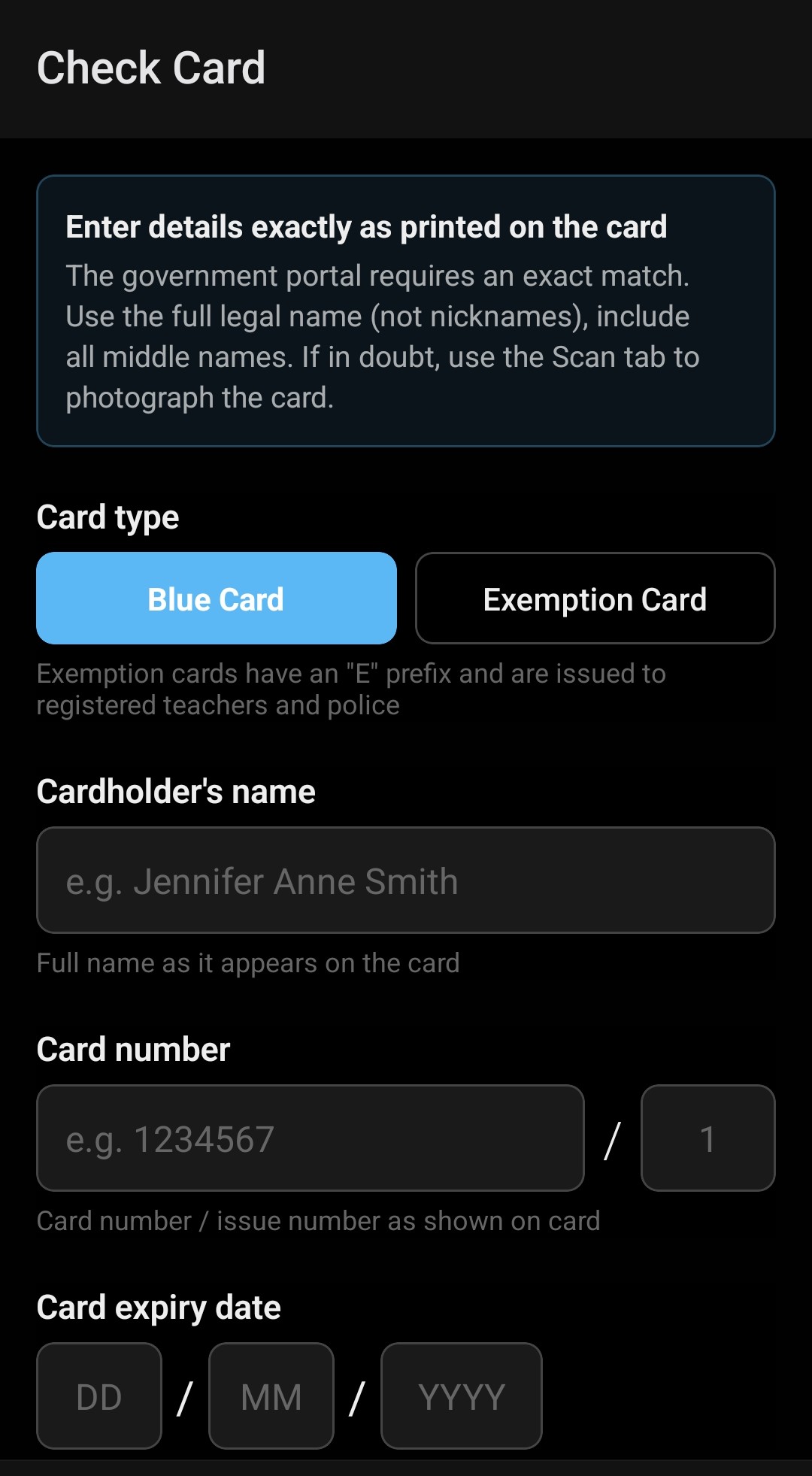
Enter card details or use the Scan tab
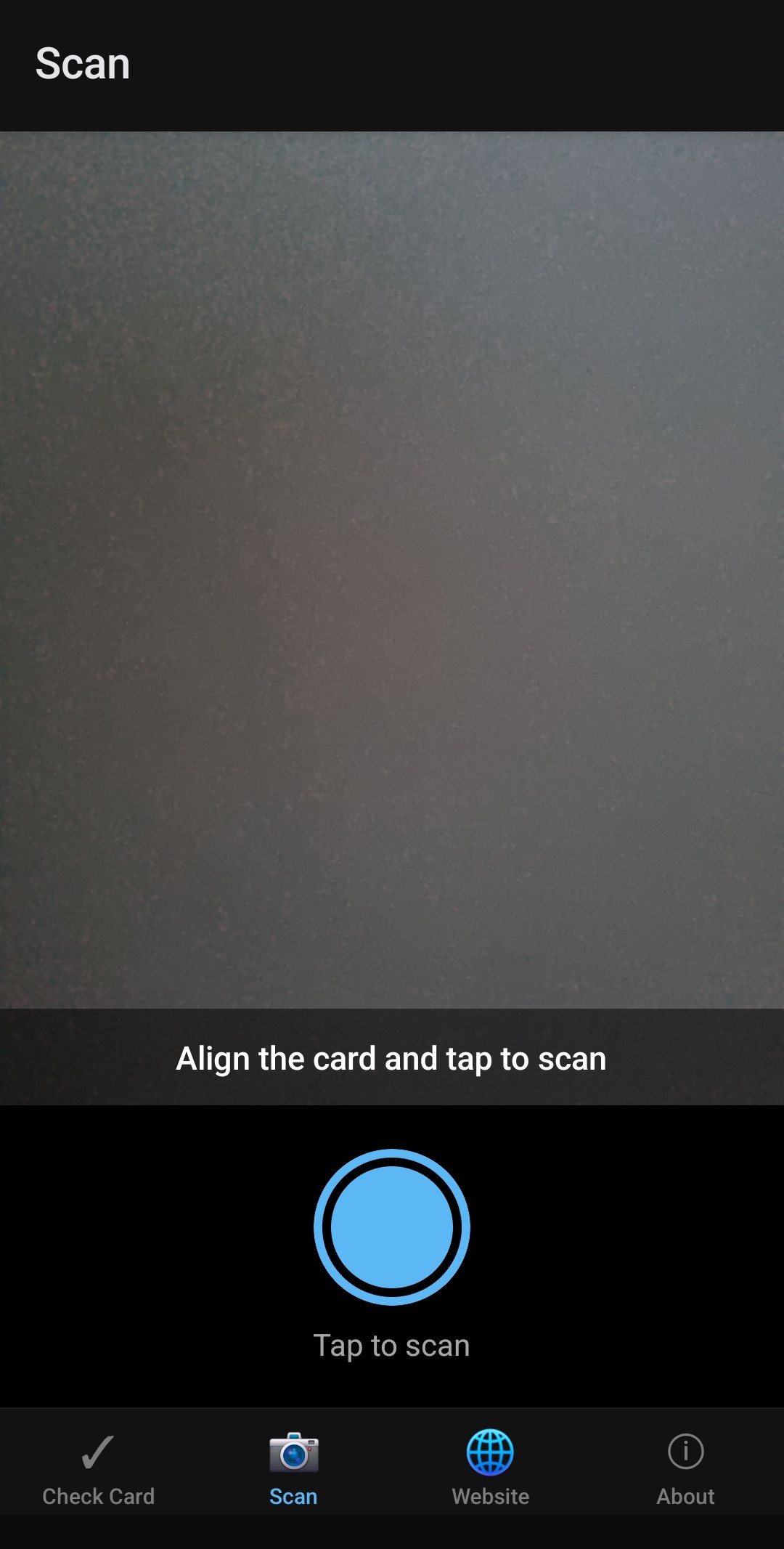
Point your camera at the card to scan
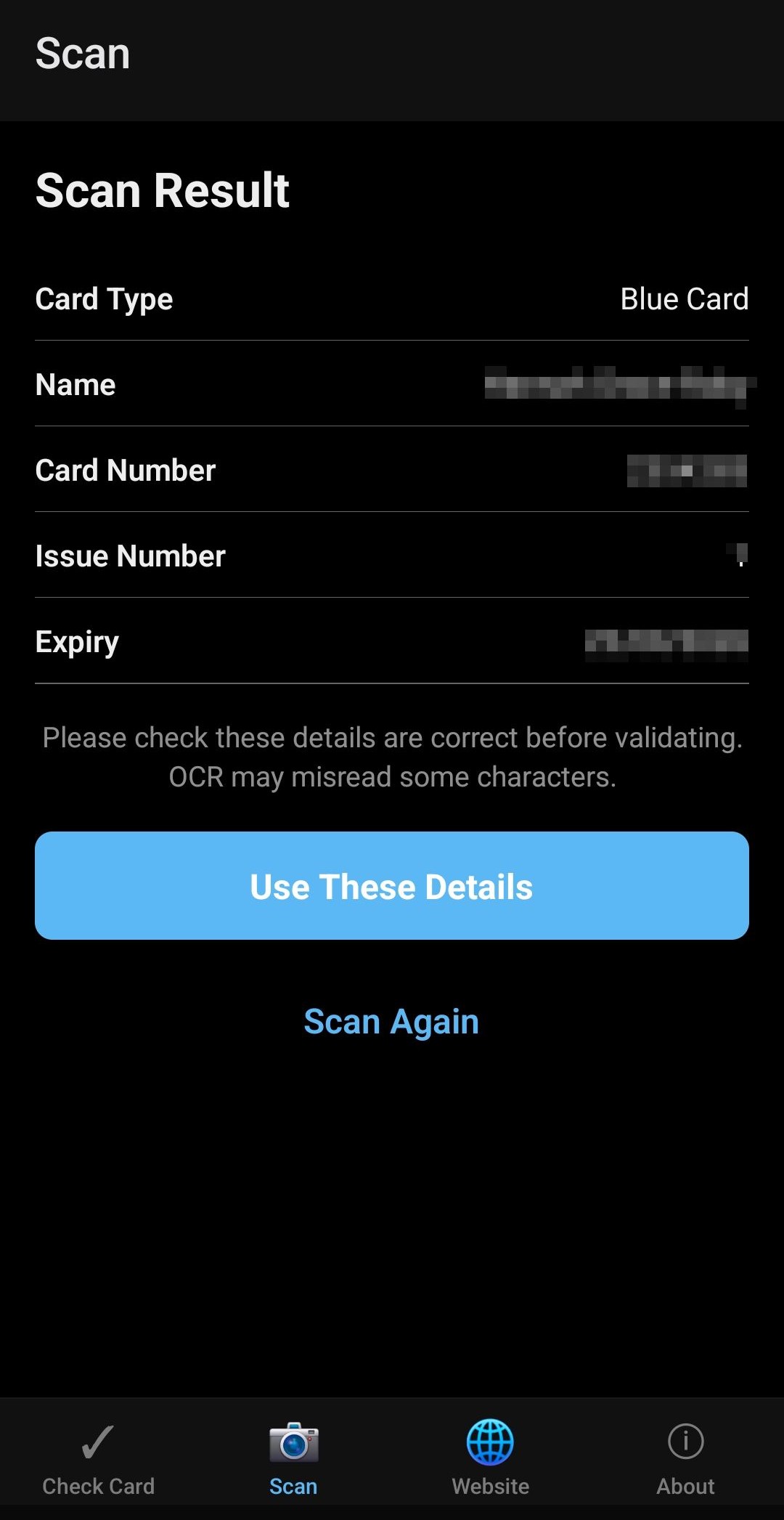
Review the scanned details before validating
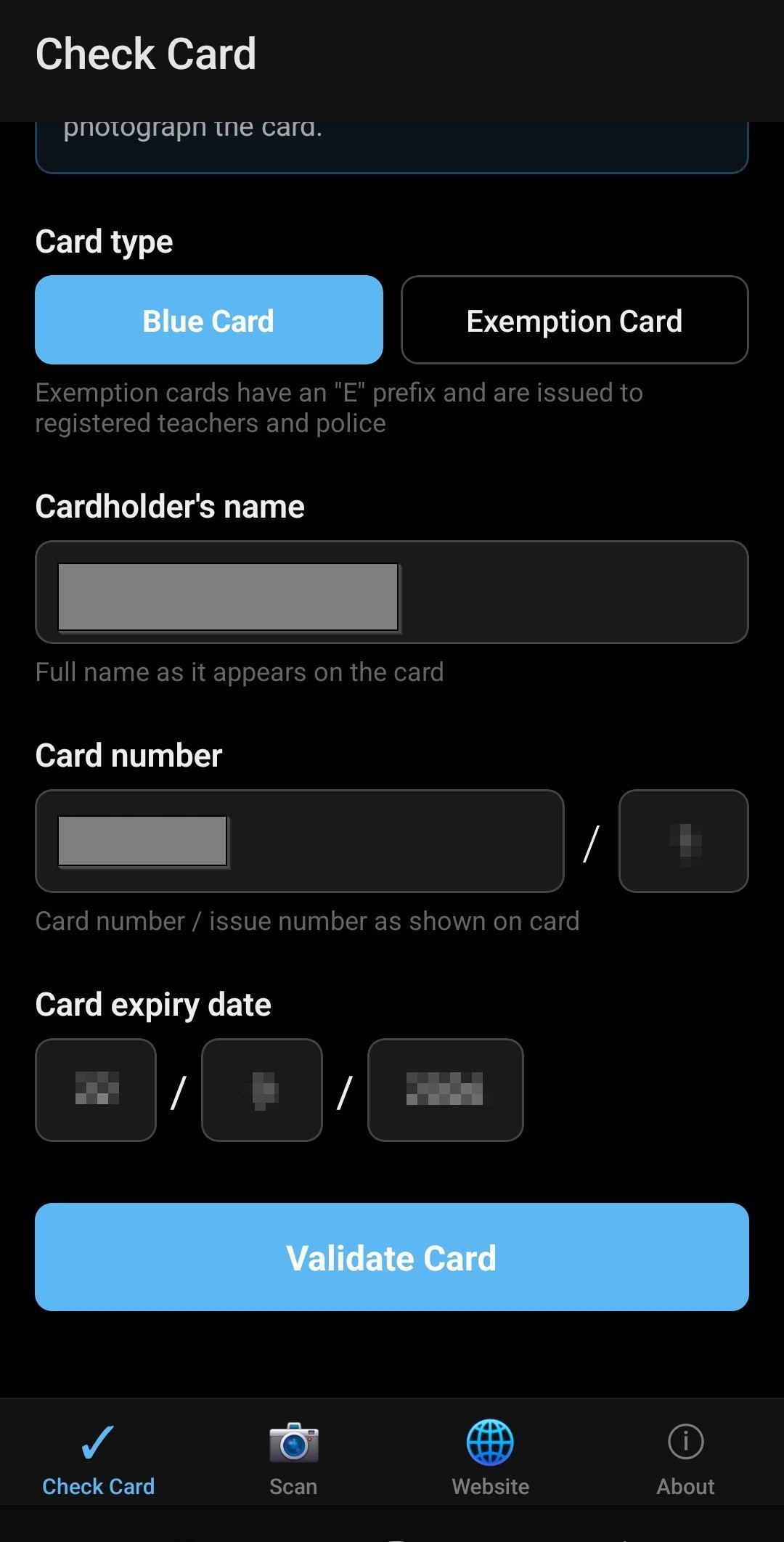
Your details auto-fill the validation form
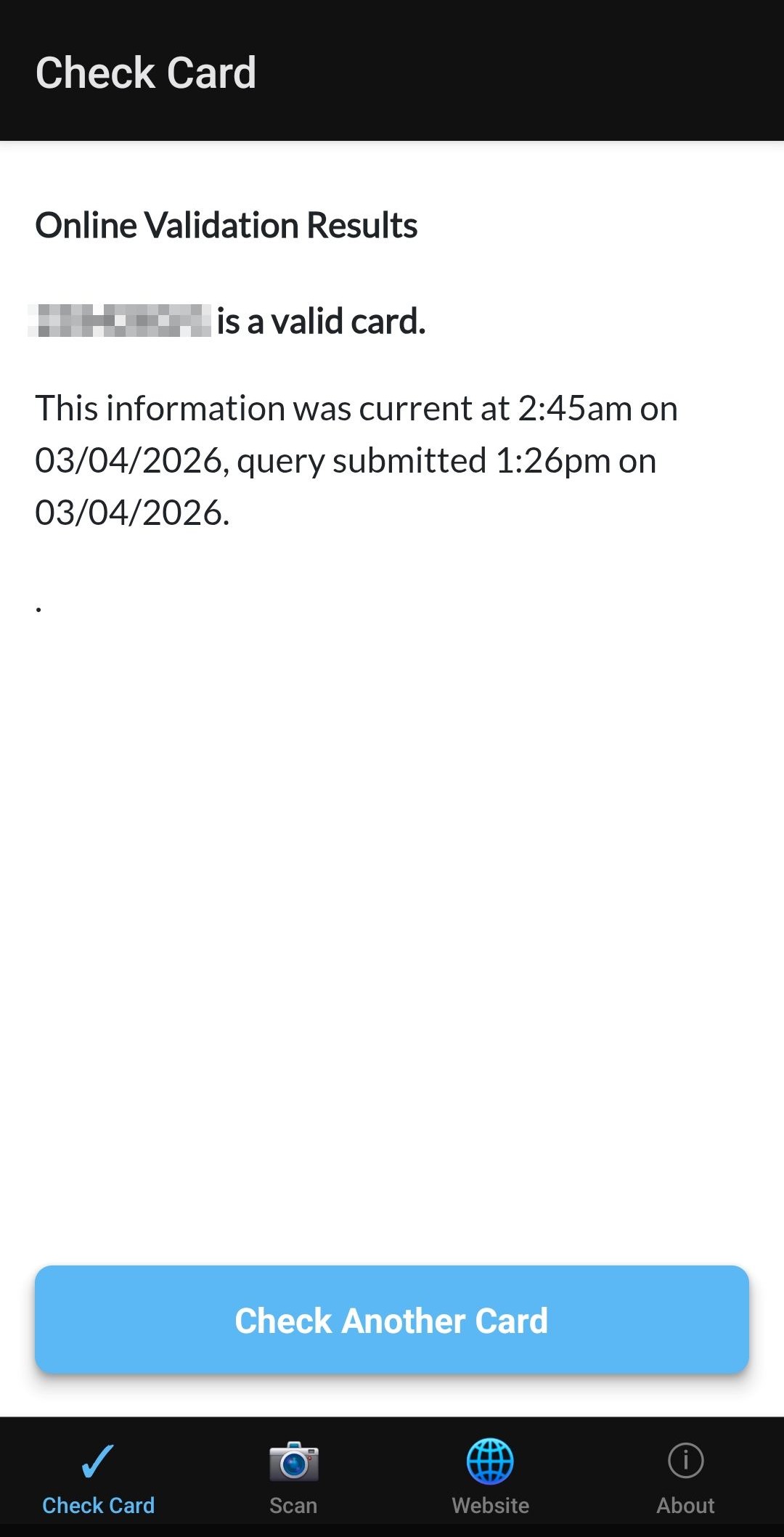
Get the result directly from the QLD Government
Your privacy
Nothing is uploaded to the cloud. Validation requests go directly from your device to the Queensland Government portal. Camera images are processed on-device only and never saved or uploaded.
Validation history is stored locally on your device. It never leaves your phone unless you choose to export it as a CSV file. No analytics, no tracking, no ads, and no account required.
Who it's for
Anyone responsible for checking Blue Cards as part of their safeguarding responsibilities:
- Sporting clubs
- Eisteddfods
- Community groups
- Churches
- Schools
- Childcare centres
- Event organisers
- Volunteer coordinators
Blue Card validation FAQ
- How do I check if someone has a valid Blue Card?
- Use the Queensland Government's official Blue Card Services online validation tool. Enter the cardholder's name, card number, issue number and expiry date, and it confirms whether the card is current and valid. The Qld Blue Card Checker app does the same check from your phone and can scan the card to fill in the details for you.
- Can I check a Blue Card without seeing the physical card?
- Online validation needs the card number, issue number and expiry date, so you need those details from the cardholder or your own records. If you want to monitor cardholders on an ongoing basis without re-entering details each time, organisations can use the Queensland Government's Organisation Portal to link and watch their Blue Card holders.
- What details do I need to validate a Blue Card?
- The cardholder's name exactly as it appears on the card, the card number, the issue number, and the expiry date. The app can read these from a physical card using your phone's camera, or you can type them in.
- Is Blue Card validation free?
- Yes. The Queensland Government's online validation tool is free to use, and the Qld Blue Card Checker app is free with no account required. You only need the card details to run a check.
- How do I validate an Exemption Card?
- An Exemption Card (card number starting with E, held by people such as registered teachers and police officers) is a separate card type from a Blue Card, and it has its own validation portal. Enter the cardholder's name and card details exactly as shown on the card. The Qld Blue Card Checker app handles both card types and sends you to the correct portal automatically.
Download
Available on Android. No account required.
Official government resources
For authoritative information about Blue Cards, go directly to the Queensland Government:
- Blue Card validation portal →
The official QLD Government portal this app uses to validate cards.
- Blue Card Services information →
General information about the Working with Children Check in Queensland.
- Organisation Portal →
For ongoing linking and monitoring of Blue Card holders in your organisation.
Blue Card Services content is licensed under Creative Commons Attribution 4.0 by the State of Queensland.
Built by Gladstone Digital in Gladstone, Queensland. This is an independent tool and is not affiliated with or endorsed by the Queensland Government or Blue Card Services.
Questions? hello@gladstonedigital.com.au